Online media can arrive in many containers, resolutions, and codec combinations. This practical guide explains how to choose a useful download, confirm that video and audio are present, and avoid the most common compatibility mistakes.
Choose a video-with-audio MP4 for everyday playback, an audio option only when you need sound, and a higher resolution only when your device and destination app support it. Always verify the saved file before deleting the source.
A reliable download workflow
Start with one public post
Copy the individual media URL rather than a profile, playlist, or feed.
Review every label
Resolution describes picture size; it does not guarantee audio or compatibility.
Prefer a combined output
For normal use, select the choice explicitly marked as video with audio.
Test the destination
Play the file in the messaging app, editor, television, or device where it will actually be used.
MP4, codecs, audio, and quality
MP4 is a container. Inside it, video may use H.264, HEVC, AV1, or another codec, while audio may use AAC or a different format. Modern browsers can play combinations that an older television or messaging service rejects. A compatible output therefore depends on the codecs and pixel format, not only the filename extension.
High-resolution services may publish picture and sound separately. Preparing one shareable file requires downloading both streams and merging them. When compatibility processing is needed, H.264 video with AAC-LC audio, yuv420p pixel format, and Fast Start metadata provides broad support across browsers, phones, and messaging apps.
Troubleshoot a bad result
If a file has sound but a gray or black picture, the receiving app may not support the video codec. If it has picture but no sound, you may have selected a video-only stream. A zero-byte or incomplete file usually indicates an interrupted transfer. Renaming an extension never converts the codecs inside.
Browse platform-specific instructions
Every source behaves differently. Visit the DownVid Learning Center for detailed YouTube, Instagram, TikTok, Reddit, SoundCloud, Vimeo, Twitch, X, and other platform guides.
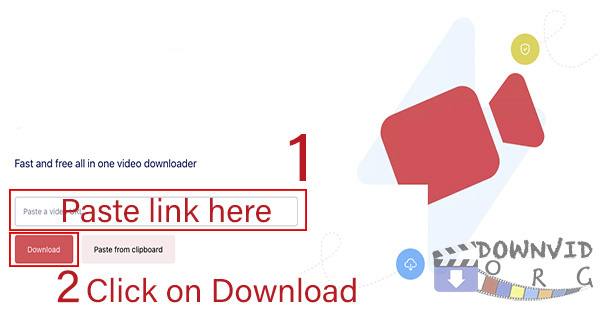
Paste the link and see the available options.
No account is required. Availability depends on the source and the content’s access settings.